
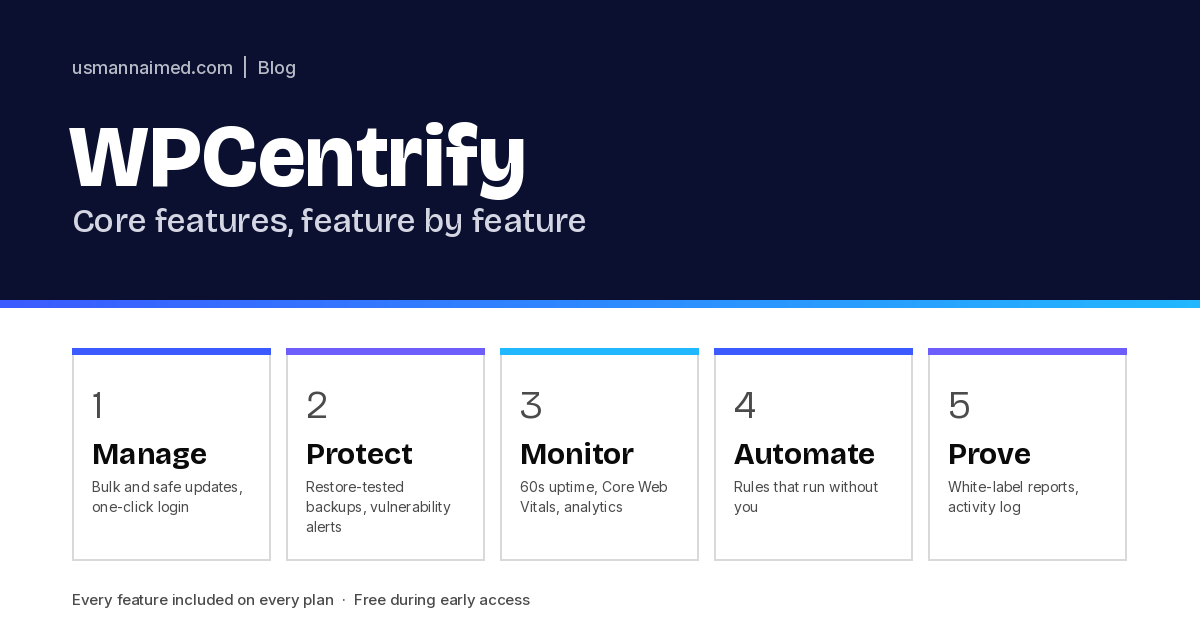
This is the practical companion to my WPCentrify announcement. It walks through the core features of the platform, grouped by the job each one does, with links to the detailed feature pages on wpcentrify.com where you can see the actual screens.
Every feature below is included on every plan, and everything is available during free early access. There are no trimmed-down tiers where the useful parts are missing.
In this post
- Manage: run the routine across the whole portfolio
- Protect: backups that have been restored, and security you can see
- Monitor: uptime, performance and traffic on one screen
- Automate: rules that run without you
- Prove: make the work visible
60s
Uptime check interval
7
Checks before an update ships
41s
Median automatic rollback
100%
Of features on every plan
Manage: run the routine across the whole portfolio
Opens on what needs attention rather than an A to Z list. Sites are ranked by operational risk, grouped by client, tag, care plan tier or host, and work can be assigned to a team member without leaving the view. Fleet dashboard
Core, plugin and theme updates across every site in one pass, with per-site exclusions and scheduling windows that respect business hours. Select the sites, select the updates, press once. Bulk updates
Every update is risk-scored, backed by a restore point, checked after it runs and rolled back automatically if a check fails. Roll out to one canary site before the rest. Safe updates
Reach any wp-admin without a password, and revoke access in one click. Nobody on the team ever needs a shared admin login. One-click login
Create, re-role and remove users across every site from one screen, including the old developer account that still has admin on six sites. User management
Every post and page searchable in one place, navigation edited without wp-admin, page URLs changed with the redirect handled for you, and titles, descriptions and schema managed for every site. Content management · Menus · Permalinks · On-page SEO
Ship a snippet to every site from the dashboard, with no second plugin to install and maintain. Code snippets
Clone a site to staging from the dashboard, test the change, then push it live once it is verified.
Protect: backups that have been restored, and security you can see
Incremental, AES-256 encrypted off-site copies in the region you select, or in your own S3-compatible bucket. Scheduled restore testing with a pass or fail result, real-time order-safe backups for WooCommerce, and one-click restore of a full site, a single file or a database table. Backups · Restore
Malware and file-integrity monitoring with change diffing, plus SSL expiry, security headers and exposed endpoints across every site. Security scanning
Watches for file changes, new administrator accounts and sign-ins, and tells you the moment something changes. Sentinel
Catches breakage that still returns HTTP 200 by comparing the page before and after a change. A checkout page that changed by 38 percent is a rollback, not a success. Visual checks
Consent banners, cookie scans and consent logs across every site, managed from one place. Cookie consent
WPCentrify is not a security plugin and does not try to replace one. It gives you portfolio-wide visibility, and works alongside a dedicated firewall and malware scanner.
Monitor: uptime, performance and traffic on one screen
Uptime monitoring
60-second checks with instant alerts by email, SMS or Slack, confirmed from a second region before you are woken up, so there are no false alarms from one bad location. Uptime monitoring
Core Web Vitals and response time tracked over time for every site, with alerts when a template regresses. Performance monitoring
Visitors, sessions and traffic sources for every site, cookie-free, so you get the numbers without a consent problem. Traffic analytics
Every inquiry from every site, in one list, so a lead on a client site is never lost in a spam folder. Contact form leads
Automate: rules that run without you
The routine is most of the work, and most of it is automatable. Automation rules decide what happens without you: approve low-risk updates, escalate the rest, retry failures and alert the right person. The workflow builder lets you compose these into policies per client, per care plan tier or per host.
- Auto-approve low-risk updates, stage medium risk, hold high risk for a human
- Scheduling windows that respect business hours, per site
- Retry failed jobs and escalate what still fails
- API for anything you want to trigger from your own systems
Prove: make the work visible
Plain-language monthly reports that say what was done: uptime, updates applied safely, backups taken, issues found and fixed. Sent automatically, on schedule, from your own domain. Client reports
The client portal, the emails, the reports and the connector plugin, all under your brand rather than ours. White label
Granular roles scoped per site or per client. A junior technician can run approved updates but not delete a backup. A client can see their own uptime and reports and nothing else. Team and client access
Every action, who did it and when, with the evidence attached. Signed change evidence is ready if a client ever disputes what happened. Activity log
For agencies, the same records feed per-client hours, cost and margin, so care plan profitability lives next to the sites it comes from. If you are pricing plans, the care plan calculator shows the margin before you quote.
Security of the platform itself
You are handing a platform access to every site you care about, so it is fair to ask how that access is handled. Connection keys are scoped, data is encrypted in transit and at rest, access is least-privilege by default, data residency is regional, the audit trail is tamper-evident, and you can leave whenever you like with a full export. The details are on the security page.
Getting the features into your portfolio
1
Apply for early access
Free while in early access, no credit card, with a 12-month price lock at launch. Apply here.
2
Connect your sites
Install the connector plugin on each site. Any host, nothing moves, and the plugin does no work on front-end page loads.
3
Set your policy
Choose what runs automatically and what waits for you. Then let the routine run and verify itself.
If you want to understand the reasoning behind these features rather than the list, read how WPCentrify eases WordPress management. For a broader look at the category, WPCentrify also publishes a neutral guide to managing multiple WordPress sites.
Frequently asked questions
Are all WPCentrify features included on every plan?
Yes. Every feature is included on every plan, and the full feature set is available during free early access rather than a trimmed-down version.
Which hosts does WPCentrify work with?
Any host that runs WordPress: WP Engine, Kinsta, SiteGround, Cloudways, Bluehost, Hostinger, GoDaddy, Rocket.net, Pressable, DreamHost, Namecheap, a self-hosted VPS, cPanel or Plesk. A single portfolio can mix hosts.
Where are backups stored?
Encrypted with AES-256 and stored off-site in the region you select. You can bring your own S3-compatible bucket, download any backup directly, and restore testing runs on a schedule.
Can I export my data if I leave?
Yes, at any time and without asking. Sites, clients, activity history, reports and backups can be exported in standard formats from the dashboard, and the public API covers the same data.
Does WPCentrify support WooCommerce?
Yes. Real-time, order-safe backups and checkout checks after every update are built in, and high-risk updates that touch a payment gateway can be held for sign-off.

Written by Usman Naim
Usman Naim is a WordPress, SEO and automation specialist and the founder of WPCentrify. He has managed WordPress sites for more than six years and currently looks after more than 80 of them, holds an MSc in Cyber Security and is a Certified Ethical Hacker (CEH).