
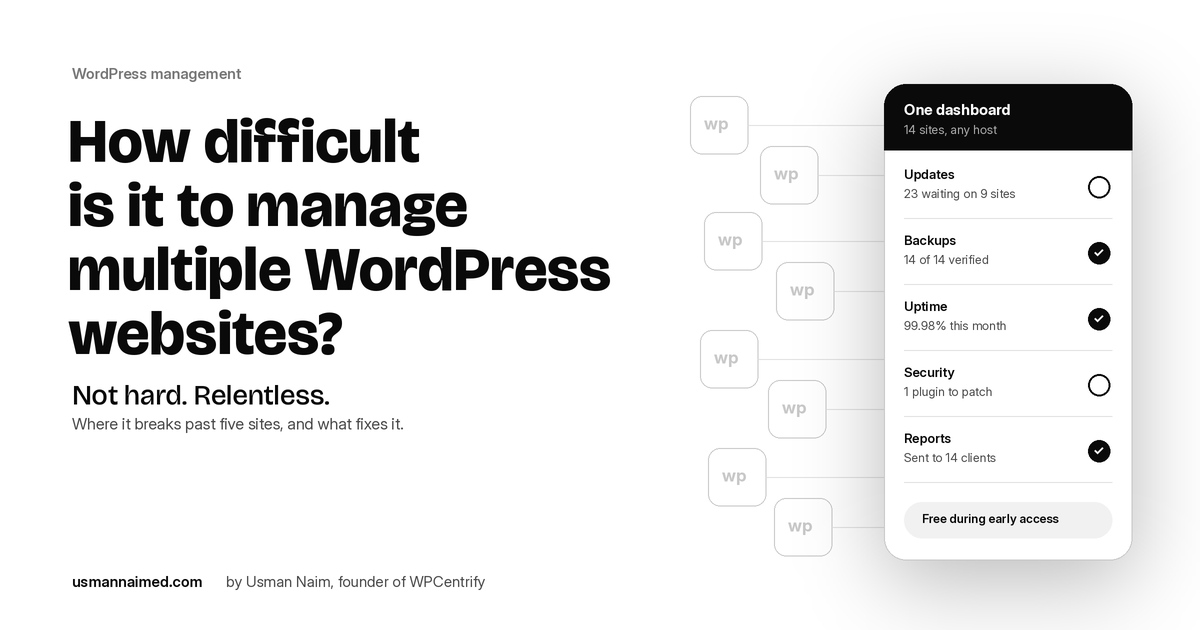
Every few weeks someone asks me a version of the same question. They have a second website now, or a fifth, or they have started looking after sites for clients, and they want to know: how difficult is it to manage multiple WordPress websites, really?
The honest answer is that none of the individual tasks are difficult. Updating a plugin, checking a backup, renewing an SSL certificate, sending a client a summary of the month: any of these takes a few minutes and no special skill. What makes managing multiple WordPress websites hard is that every one of those tasks is repeated, per site, forever, and the number of places you have to look for problems grows faster than your attention does.
Over the years I have watched this play out with my own clients, with the sites I look after in my role as Web Manager at BloomHouse Marketing, and with the freelancers and agencies I talk to. This post is what I have learned about where it breaks, what it costs, and what actually fixes it. It is also why I built WPCentrify, so I will show you how it handles each problem, and you can judge whether it fits.
In this post
- The short answer
- Where managing multiple WordPress websites actually gets difficult
- The real cost is context switching, not the tasks
- How many WordPress websites can one person manage?
- Three ways to manage multiple WordPress websites
The short answer
Up to about five WordPress websites, you can manage them one at a time and get away with it. Past that, the routine stops fitting inside wp-admin, and the failures are quiet ones: an update you kept putting off, a backup that stopped without telling anyone, a vulnerable plugin on a site you forgot was live. The fix is not working harder. It is managing the portfolio instead of each site.
Where managing multiple WordPress websites actually gets difficult
Here are the five jobs that go wrong first. If you manage more than a handful of sites, at least two of these will feel familiar.
1. Updates you are scared to run
An average WordPress site runs 20 to 30 plugins, and each one ships releases on its own schedule. On one site you read the changelog, update, refresh the front end and move on. On twelve sites that is twelve changelogs, twelve refreshes and twelve chances that something breaks. So updates get delayed. Then a security fix lands, you push it late on a Friday, and the checkout page breaks on the one site that actually takes money.
2. Backups you assume are running
Every site has a backup plugin. Very few have ever been asked to restore anything. A backup that has never been restore-tested is a hope, not a recovery plan, and across many sites the odds that at least one schedule has quietly stopped are high. You find out which one on the worst possible day.
3. Security news that reaches you too late
Vulnerabilities in popular plugins are published every week. On one site you would notice. Across a portfolio, the question is not whether a vulnerable version is running somewhere, it is which site, and whether you will hear about it before someone else does. As a Certified Ethical Hacker, this is the part I am most careful about, and it is the hardest to do by hand. The WordPress.org guide to hardening WordPress is a good baseline, but a baseline on one site does not tell you what is running on the other twenty.
4. Downtime you hear about from the client
Without monitoring, the first sign that a site is down is an email from the person paying for it. The second sign is an expired SSL certificate that nobody was watching. Neither is a technical problem. Both are a visibility problem, and visibility is exactly what disappears when the sites are spread across a dozen dashboards.
5. Work nobody can see
This one costs the most money. You spend a month keeping every site patched, online and fast, and at renewal the client asks what they have been paying for. Invisible maintenance is the most common reason a good care plan gets cancelled. Assembling a report from memory and four screenshots, once a month, for every client, is the job people quietly stop doing.
The real cost is context switching, not the tasks
Every site you add multiplies logins, dashboards, notification emails, plugin licenses and mental overhead. The work does not get harder. The number of places it can go wrong does. Here is roughly how it feels at each stage.
Number of WordPress websites
What managing them feels like
1 to 2
Easy. You know every plugin by name and check in whenever you remember.
3 to 5
Manageable with a checklist. Updates start to slip. You are logging in one site at a time.
6 to 15
A job. Logins before any work starts, updates batched into an evening, backups assumed rather than verified, reports done from memory.
15 to 50
Not possible by hand. Something is always out of date. Failures show up in places you were not looking, and clients notice before you do.
50+
An operations problem: who did what, on which site, under whose plan, and whether it is still profitable.
The line between the second and third row is where most people go looking for a better way, and it arrives faster than they expect.
How many WordPress websites can one person manage?
By logging into each site, about five before the routine starts slipping. With a management dashboard and a sensible workflow, one person can comfortably look after somewhere between 25 and 50 sites, and agencies run hundreds with a small team. The tool matters less than the workflow behind it: batch updates by risk rather than by convenience, verify every change instead of assuming it worked, and make backups provably restorable.
Three ways to manage multiple WordPress websites
There are three realistic approaches, and the right one depends on whether your sites share a codebase and how much infrastructure you want to run yourself.
WordPress multisite
One WordPress installation serving many sites from a shared set of plugins and themes. Right when the sites genuinely belong together, such as a network of departmental sites for one organization. Wrong for independent client sites, because every site shares the same code, the same host and the same failure. One bad update takes them all down.
A self-hosted management plugin
A dashboard you install on your own WordPress site that connects to child sites. You keep full control and pay little, but you also maintain the dashboard, its extensions and its server, and the safety net around updates and backups is only as good as the extensions you add.
A hosted management platform
A service that connects to each site through a small plugin and does the routine from one dashboard: updates, backups, monitoring, security, access and reporting. Sites stay where they are hosted. This is the right fit for most freelancers, agencies and businesses running several independent sites, and it is the category WPCentrify sits in.
The honest summary
Multisite is an architecture decision, not a management tool. For independent sites, a management tool is almost always the answer, and the choice between self-hosted and hosted comes down to how much of the safety net you want to build yourself. WPCentrify publishes a neutral guide to managing multiple WordPress sites that goes deeper on this.
What software to manage multiple WordPress websites should do
Whichever tool you choose, judge it against the six jobs above. A good WordPress management dashboard gives you:
- One inventory. A current record of every site, its WordPress version, plugins, themes, host and owner. Most operational failures start with not knowing what you have.
- Updates in one pass. Every pending update across the portfolio, grouped by release rather than by site, with per-site exclusions and scheduling windows.
- Recovery that works. Off-site encrypted backups that are restore-tested, plus a restore point before any change.
- Continuous monitoring. Uptime, response time, Core Web Vitals, SSL expiry and vulnerability exposure, checked continuously rather than when somebody remembers.
- Access without shared passwords. Roles scoped to sites or clients, one-click login, and a record of who did what.
- Proof of work. A tamper-evident log and reports generated from it, so the maintenance is visible to whoever is paying for it.
How WPCentrify makes managing multiple WordPress websites easier
WPCentrify is the platform I built for exactly the point where wp-admin stops fitting. You install a small connector plugin on each site, and every site reports into one dashboard for every WordPress site, on any host. Nothing moves. Only the management does.
1
Connect your sites
Install the WPCentrify plugin on each site. It works with any host: Hostinger, Cloudways, SiteGround, WP Engine, cPanel, a VPS, anything that runs WordPress. A single portfolio can mix all of them.
2
See every site in one place
Updates waiting, backup status, uptime, security and performance for every site on one screen, sorted by what needs attention first rather than alphabetically.
3
Act on all of them at once
Update, back up, log in, fix and report across the whole portfolio in one action instead of one site at a time. Twenty sites take the same effort as one.
Each of the five problems above has a direct answer in the product:
Updates that check themselves
Every update gets a risk score, a restore point is taken first, and after the update the site is checked. If a check fails, the site is rolled back on its own, with a median rollback of 41 seconds. High-risk updates can go to staging or to one canary site first. Safe updates
Backups you have actually restored
Encrypted off-site backups that are periodically restored to prove they work, with a recorded pass or fail, one-click restore of a full site, a file or a database table, and real-time order-safe backups for WooCommerce. Backups and restore
Security scoped to what you run
The public vulnerability feed is matched against the exact plugin versions in your portfolio, ranked by real exposure, and Sentinel watches file changes, new admin users and sign-ins. Vulnerability monitoring
Monitoring that tells you first
Every site is checked every 60 seconds and confirmed from a second region before you are alerted, with Core Web Vitals, response time and SSL expiry tracked over time. Uptime monitoring
Reports that write themselves
Every action is logged with the evidence attached, and at month end that record becomes a plain-language report under your brand, sent automatically from your own domain. Client reports
Everything else in wp-admin, for every site
Users, content, menus, SEO settings, code snippets, permalinks, contact form leads, analytics and one-click login, all from the dashboard, so most daily changes never need wp-admin at all. See every tool
60s
Uptime check interval
7
Checks before an update ships
41s
Median automatic rollback
~9 hrs
Typical monthly admin reclaimed at 15 sites
WPCentrify is free during early access, works with any host and does not ask for a credit card. If you are moving from another tool, migration is assisted and you can keep the old one running alongside until you are satisfied. I have written more about the reasoning behind it in Introducing WPCentrify and about its core features.
A workflow that keeps multiple WordPress websites manageable
Whatever tool you use, four habits do most of the work:
- Batch by risk, not by convenience. Ship low-risk patches quickly and across every site. Stage or hold the major versions that touch checkout, forms or payment gateways.
- Verify, do not assume. After any change, check the site: an HTTP 200 is not the same as a working checkout page.
- Make backups provable. Restore one on a schedule. A backup you have restored is the only kind that counts.
- Automate the routine, escalate the exception. Set a policy once, let the routine run, and only look at the sites that need a decision.
Common mistakes when managing multiple WordPress websites
- Using one shared admin password across every site, which stops working the moment a second person is involved.
- Updating everything everywhere at once with no restore point, so a single bad release hits the whole portfolio.
- Trusting a backup plugin's log line instead of a restore.
- Choosing WordPress multisite for independent client sites because it looks like one dashboard.
- Doing the work and never showing it, then losing the care plan at renewal.
Frequently asked questions
Is it hard to manage multiple WordPress websites?
The individual tasks are easy. The difficulty is repetition and visibility: the same updates, backups, checks and reports, per site, forever, with the number of places something can go wrong growing every time you add a site. Past about five sites, doing it one wp-admin at a time stops working.
How many WordPress websites can one person manage?
About five by hand before the routine slips. With a management dashboard and a risk-based workflow, one person can comfortably manage 25 to 50 sites, and agencies run hundreds with a small team.
Can I manage WordPress websites hosted with different providers from one dashboard?
Yes. WPCentrify is hosting neutral. A connector plugin links each site to the dashboard wherever it is hosted, so one portfolio can mix WP Engine, Kinsta, SiteGround, Cloudways, cPanel and a VPS.
Is WordPress multisite the same as a management dashboard?
No. Multisite is one WordPress installation serving many sites that share code, a host and a failure. A management dashboard connects independent sites that stay exactly where they are. For client sites, a management dashboard is almost always the right choice.
How do I update plugins on multiple WordPress sites at once?
With a management dashboard you select the sites and the updates and run them in one pass. In WPCentrify each update is risk-scored, backed by a restore point, checked afterwards and rolled back automatically if a check fails.
Does connecting a site to a management dashboard slow it down?
No. The WPCentrify connector plugin is small, does no work on front-end page loads, and monitoring requests come from outside the site, so there is no measurable effect on page speed.

Written by Usman Naim
Usman Naim is a WordPress, SEO and automation specialist and the founder of WPCentrify. He has managed WordPress sites for more than six years and currently looks after more than 80 of them, holds an MSc in Cyber Security and is a Certified Ethical Hacker (CEH).